Headless WordPress without killing your SEO
When a client's real estate site has 1,400 listings in four languages and Google is showing exactly three of them, the problem isn't translation. It's architecture.
That's where C21 Perdomo started. WordPress catalog, years of content, visitors in English, Spanish, French, and German — and a search result set that looked like the site was empty.
Know what the CMS can't do
WordPress is fine as a content store. It is not fine as a routing layer for a multilingual, headless build. The original dynamic URLs and locale handling were never clean enough for Google to trust, so per-locale sitemaps were broken or missing, and hreflang tags were either absent or pointing wrong.
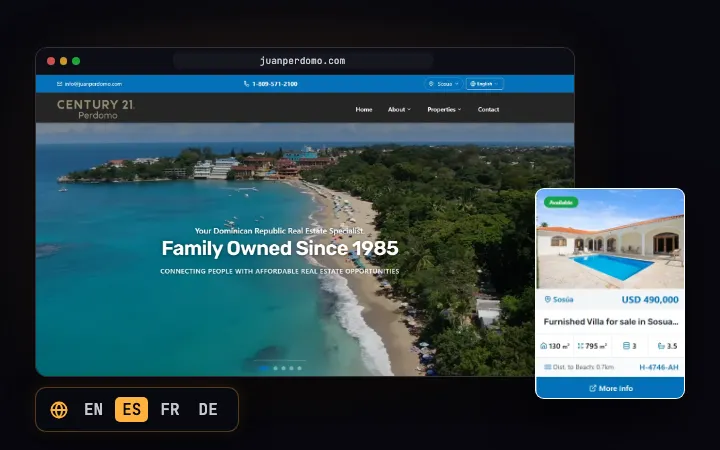
When I rebuilt it as a headless Next.js storefront over the same catalog, the temptation was to treat this as a translation-strings problem. It isn't. The real job is convincing the crawler that every page exists, in every locale, as a first-class URL.
The sitemap is a contract with the crawler
I generated per-locale sitemaps, each with a self-referencing canonical and a complete set of reciprocal hreflang tags. Every indexable page is a static route — no client-side rendering for the crawler to discover. Locale paths are ISO language subpaths, not query parameters. These are the mundane decisions that determine whether a multilingual site lives or dies in search.
The result: sitemap coverage went from a handful of pages to roughly 99% across all four locales — 345 to 349 listings per locale indexed by Google. Search traffic follows when the pages actually exist.
The tradeoff I made
I did not fork the CMS or rebuild the catalog. I normalized the data at the API boundary and let the headless layer worry about routing and SEO. That meant the editorial team keeps working in WordPress, and the storefront stays fast. This is the tradeoff that makes headless profitable for a site that already has years of content: keep the old system as a source of truth, move the responsibility of being found to a layer that can do it right.
The full breakdown — routing, hreflang, and the numbers — is in the C21 Perdomo case study. If your site is stale in search because the CMS was never built to be found, that's a migration problem, not a content problem. The CMS can stay. What it's serving has to change.