Getting AI images to write text correctly
The problem Every AI image model I've used mangles text. Quotes, numbers, names — they come out as gibberish far more often than not. For many uses that's fine, but when you're generating social posts, readable text is the whole point.
What I tried Building Social Command Center meant turning a photo or a one-liner into publish-ready posts across four platforms. I started by prompting the model directly: "a motivational quote on a gradient background." The results were a lottery. Occasionally the model nailed it, but more often it produced something like "KEEP GRIDING" or an unreadable blob.
I switched models, tried different prompt structures, higher resolution, negative prompts. Fal.ai's tools gave me more control, but still no guarantee. Any model that does well on images struggles with typography — it's a known limitation. The few that handle it are either expensive or still not dependable.
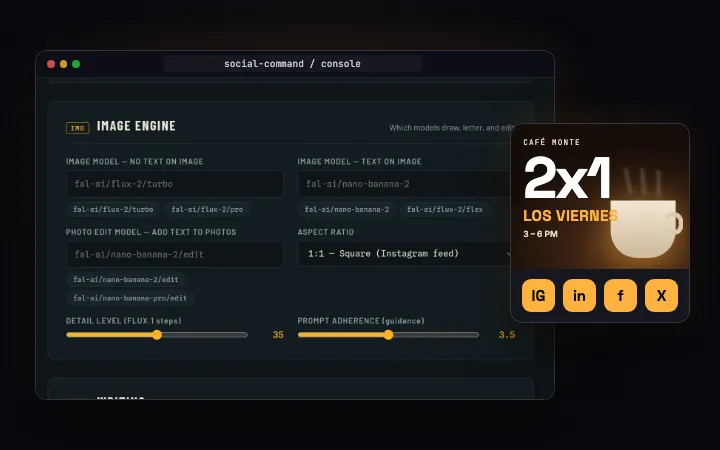
The fix: separate text from image Instead of forcing the model to do two jobs, I split them. The model generates an image with no text — a clean background, a scene, whatever fits the post. Then I draw the text myself using a lightweight image library. It's deterministic, sharp, and always readable.
That means two steps: generation and composition. The bot decides which path to take — if the user's idea includes a specific phrase or label, it takes the two-step route. If not, it lets the AI produce the whole thing, text and all.
The tradeoff Doing it in two steps costs more compute and adds a few hundred milliseconds of latency. It also means I have to handle layout manually — choosing font, size, position, contrast. But the reliability is worth it. A social post with garbled text is useless; a clean quote over a nice background actually gets engagement.
What I learned AI models are great at generating things that look right, but not things that have to be exactly right. Text is one of those. The fail-safe is always the same: keep the non-negotiable parts out of the generative black box. This principle has carried over to other projects — anytime I need certain output (phone numbers, dates, IDs), I generate the framework and fill in the specifics with code.
The system is live and running in production. You can see the whole build on the case study.

More like this
This in practice